Download & Install

Download the "Rainy Day Cafe" and learn how to install the application.
Download Now


Installation Guide

Follow these simple steps to get Rainy Day Cafe running on your system.
Windows

Windows

  1. Currently unavailable on Windows devices.
macOS

macOS

  1. Download the macOS package (.dmg)
  2. Open the .dmg file
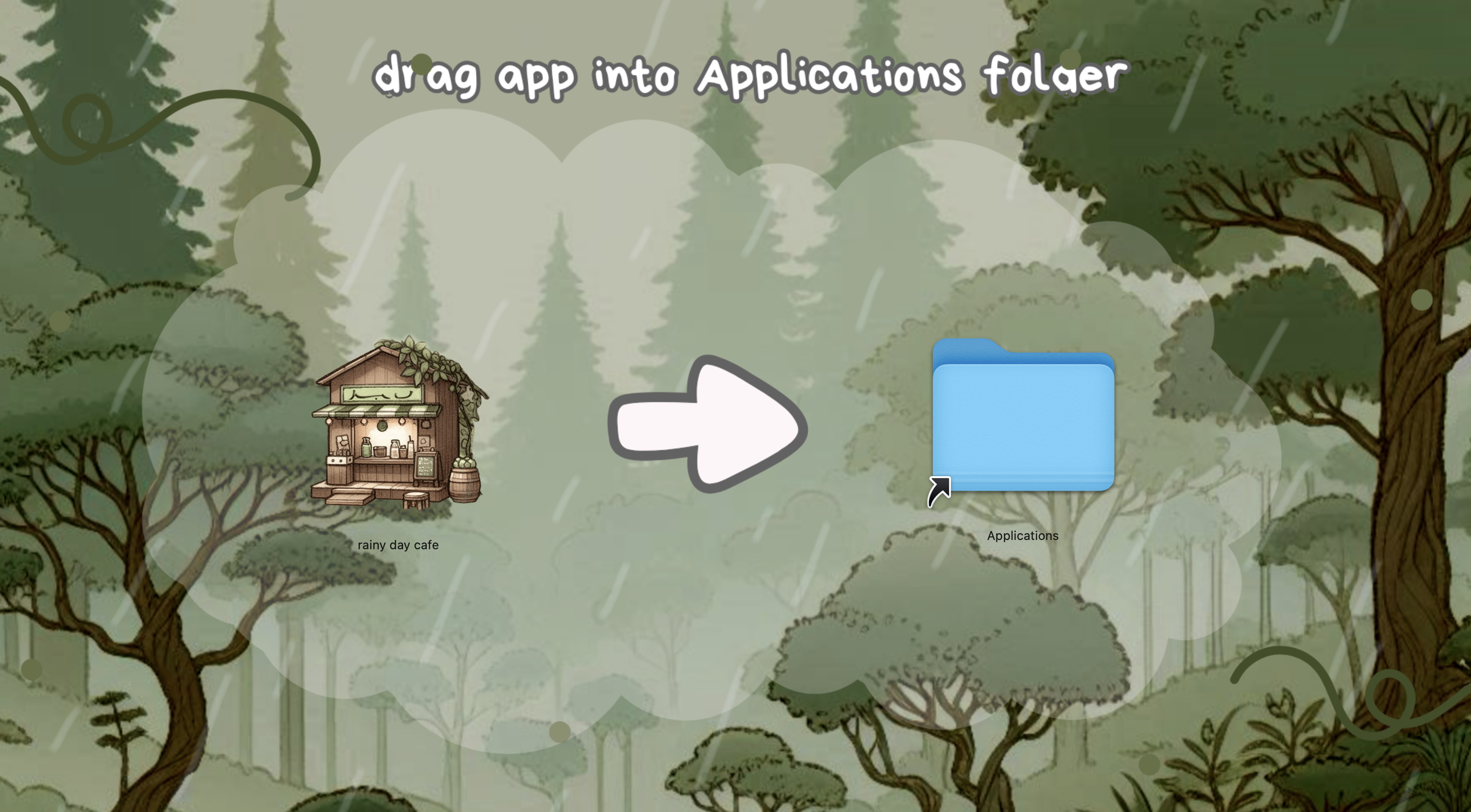
  3. Drag Rainy Day Cafe to Applications
  4. Launch from Applications folder
  5. DOWNLOAD LINK

macOS Installation
Linux

Linux

  1. Currently unavailable on Linux.

System Requirements

Minimum Requirements

  • OS: Windows 10, macOS 10.13+, or Linux
  • Processor: 2.0 GHz Dual Core
  • Memory: 4 GB RAM
  • Graphics: OpenGL 3.3+ compatible
  • Storage: 500 MB available space

Recommended

  • OS: Windows 11, macOS 11+, or Linux
  • Processor: 2.5 GHz Quad Core
  • Memory: 8 GB RAM
  • Graphics: OpenGL 4.0+ compatible
  • Storage: 1 GB available space

Troubleshooting

Common Issues

  • If the game won't start, ensure your graphics drivers are up to date
  • For Linux users, install required dependencies: libgl1-mesa-glx
  • On macOS, you may need to allow the app in Security & Privacy settings
  • Windows users: Run as administrator if experiencing permission issues

Need more help? Visit our Feedback page for support.